01 · Framing
A label is not a mental model
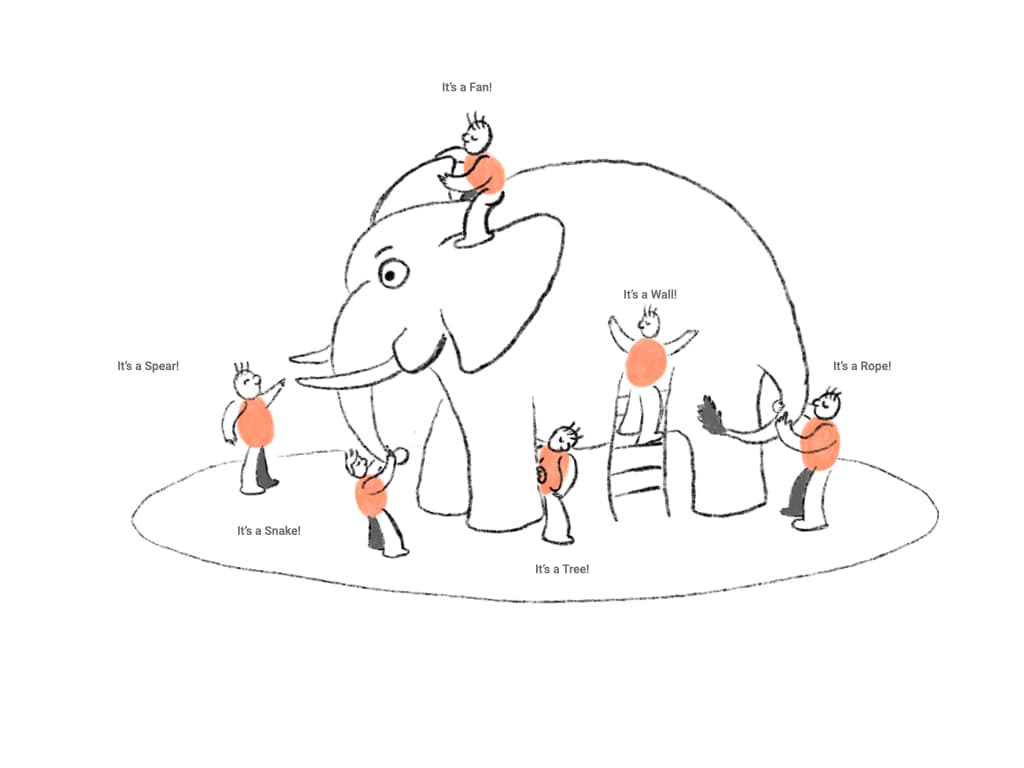
Sighted users can infer a widget's spatial structure from visual affordances. A switch looks tappable, a circular time picker resembles a clock, and a calendar reveals rows, columns, and available dates at a glance.
TalkBack often presents the same interface as a sequence of labels, roles, and actions. That sequence can make each control technically reachable while leaving its layout, relationships, state changes, and gestures unexplained. When applications or Android versions implement the same widget differently, a strategy learned in one place may stop working in another.
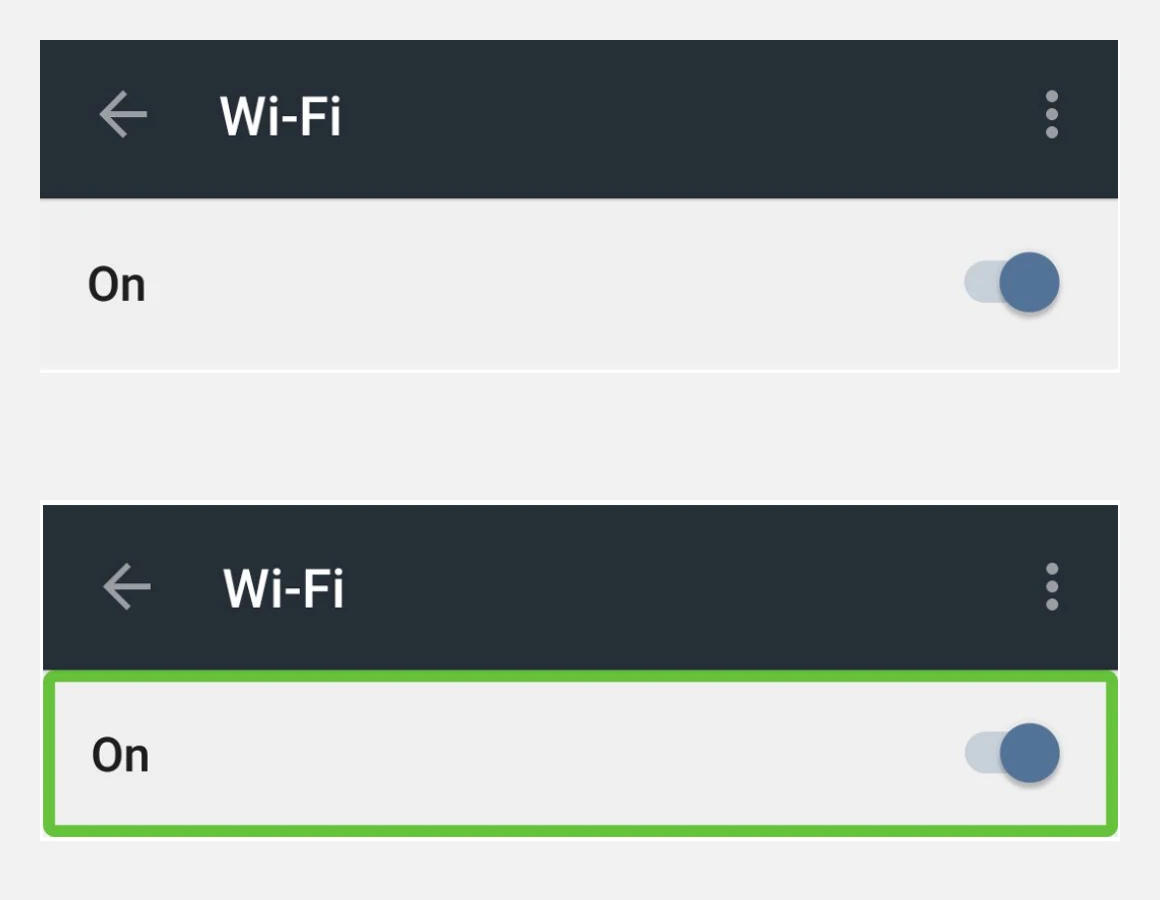
“Accessibility does not end when controls are announced. Users also need a way to understand the interface's structure, state, and interaction logic.”
02 · Field research
Learning from blind users and teachers
I began with an expert discussion with Dr. Charudatta Jadhav, then Head of the Accessibility Center of Excellence at TCS. He described how exploring a complete screen increases cognitive load: a screen reader announces individual elements, but rarely provides a useful summary of how those elements form a whole.
At Niwant Andh Mukt Vikasalaya, I interviewed five completely blind TalkBack users and instructors. The institute taught Marathi typing through Swalekhan, an in-house learning system that combined a tactile keyboard model with an eight-chapter course. Students first learned the keyboard's physical layout, then progressed through characters, words, sentences, and a typing test.
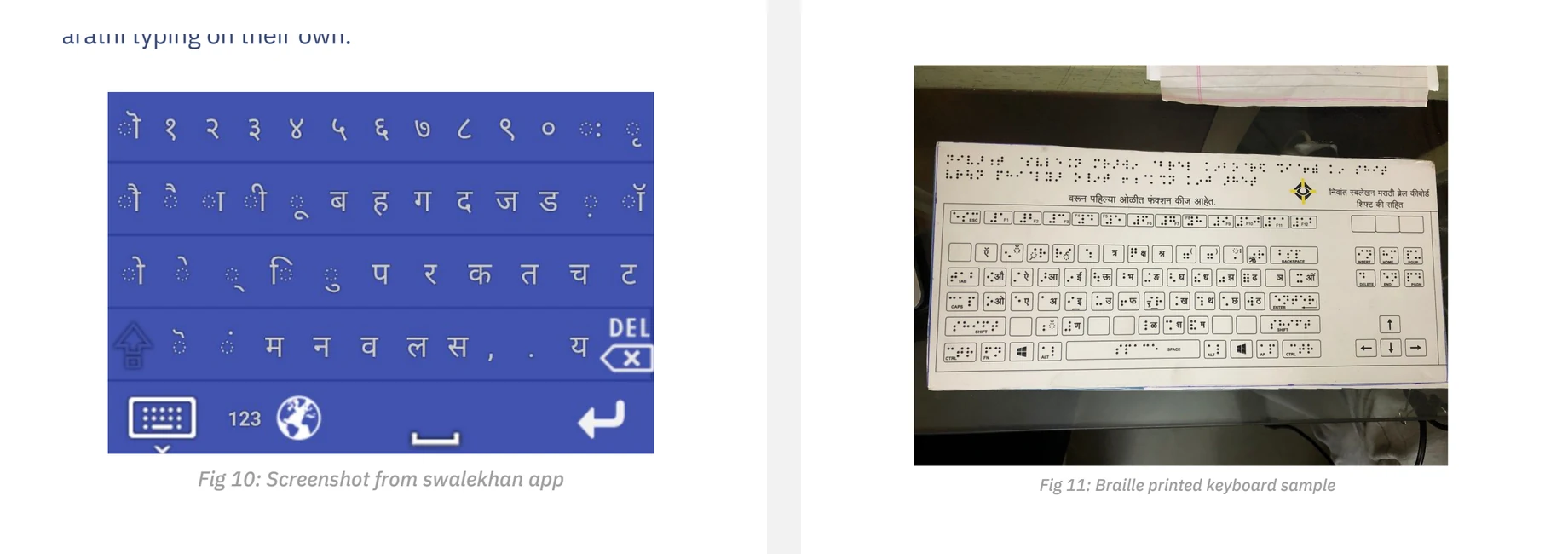
Students learned TalkBack gestures first and then specific applications such as WhatsApp, Zomato, Maps, and Uber Eats. New widgets were usually learned through exploration, peers, or a sighted person's explanation. Familiarity often remained tied to one application: when a picker appeared in another layout, the existing strategy no longer transferred cleanly.
What the fieldwork changed
- TalkBack onboarding taught gestures, but not the conceptual models of widgets.
- Users built mental images from partial information and previous experience.
- App-specific instruction created confidence, but did not always transfer to a different implementation.
- Peers and instructors were already acting as contextual voice guides.
03 · Interface audit
Six versions of two familiar widgets
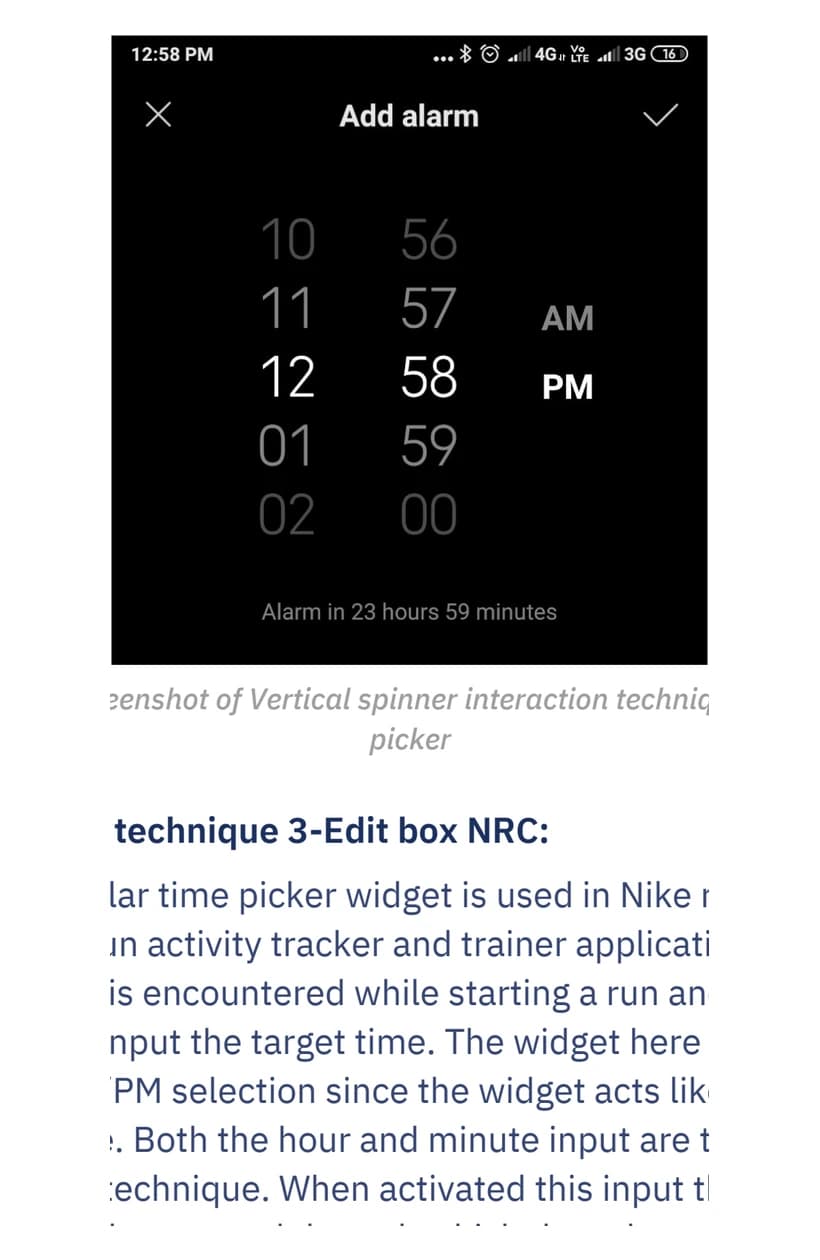
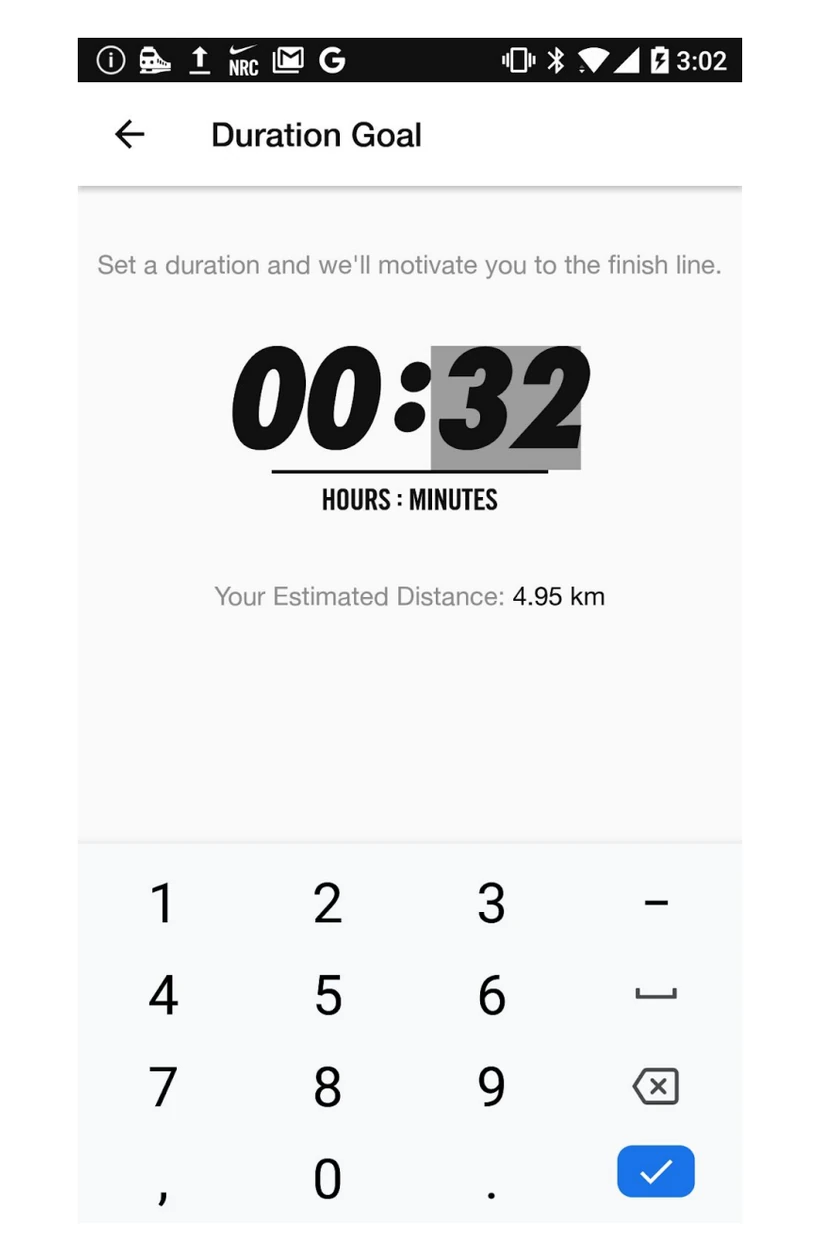
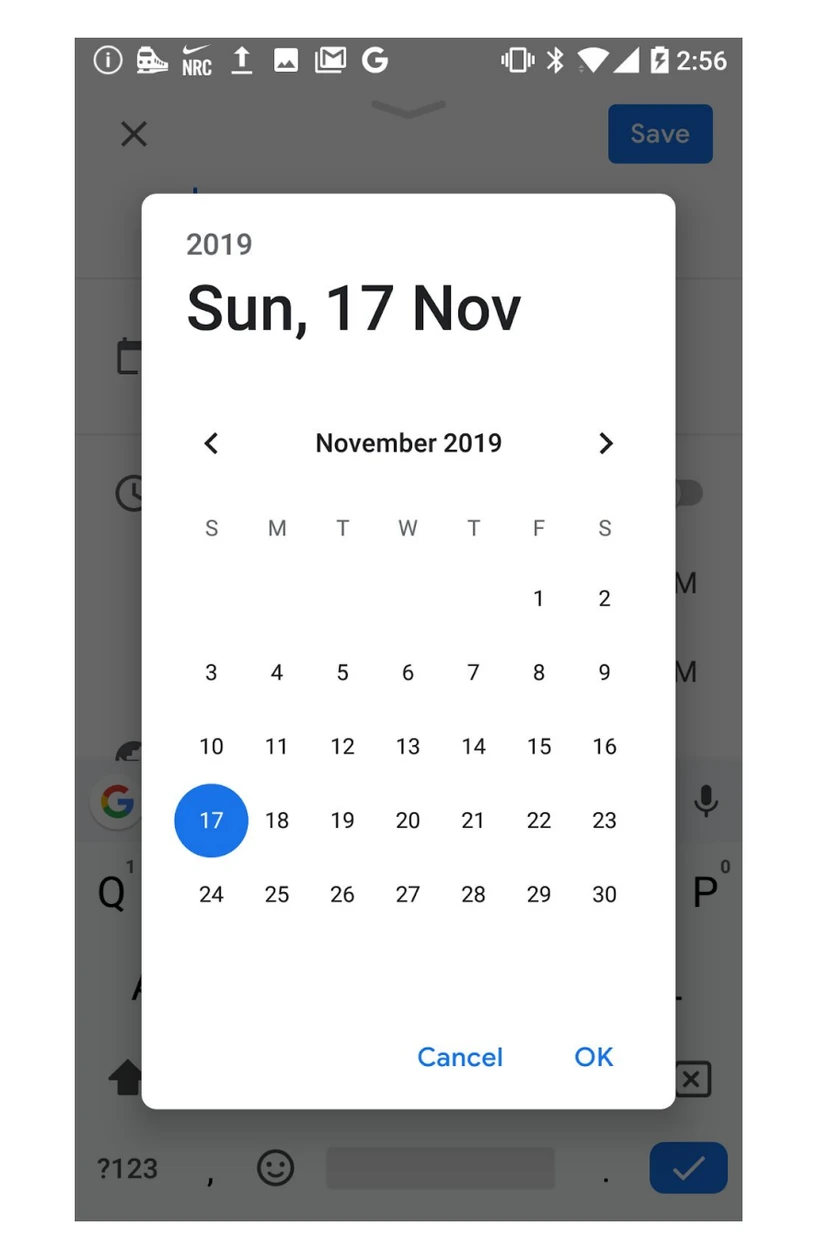
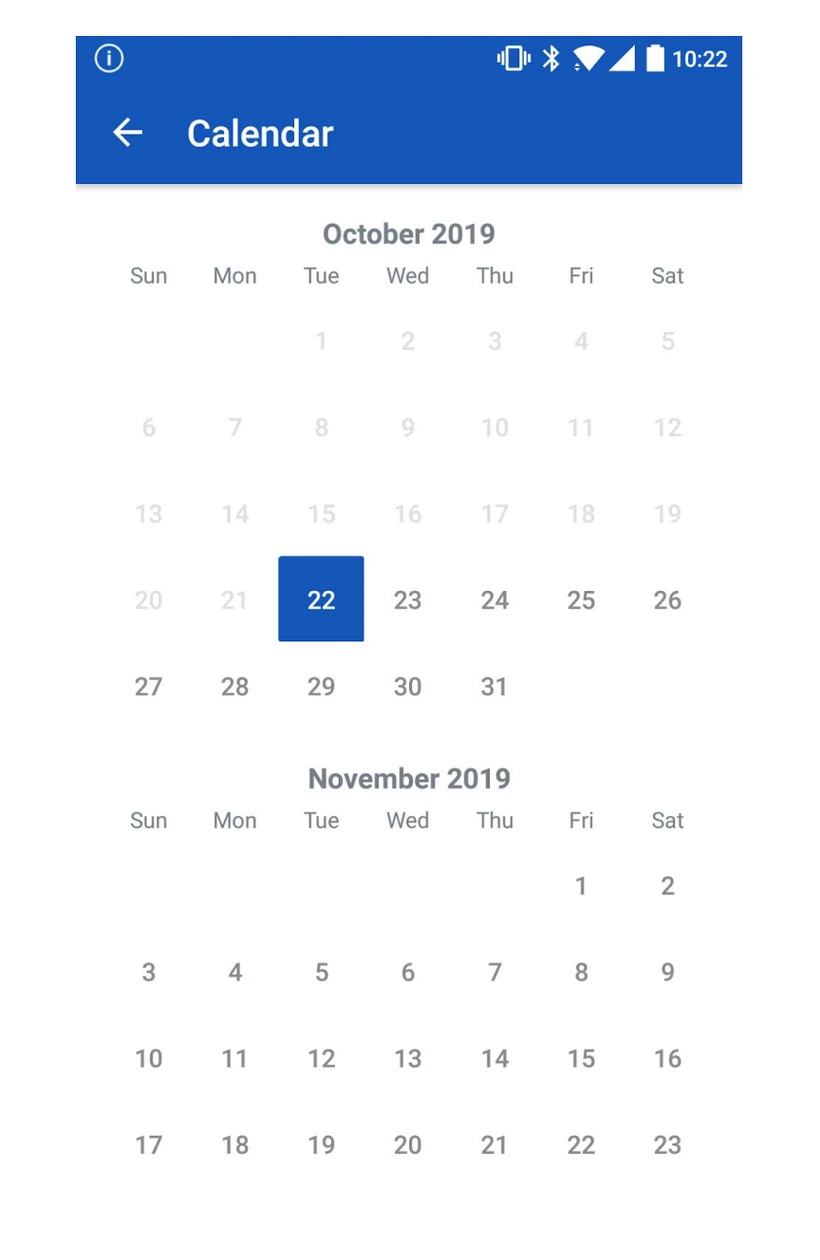
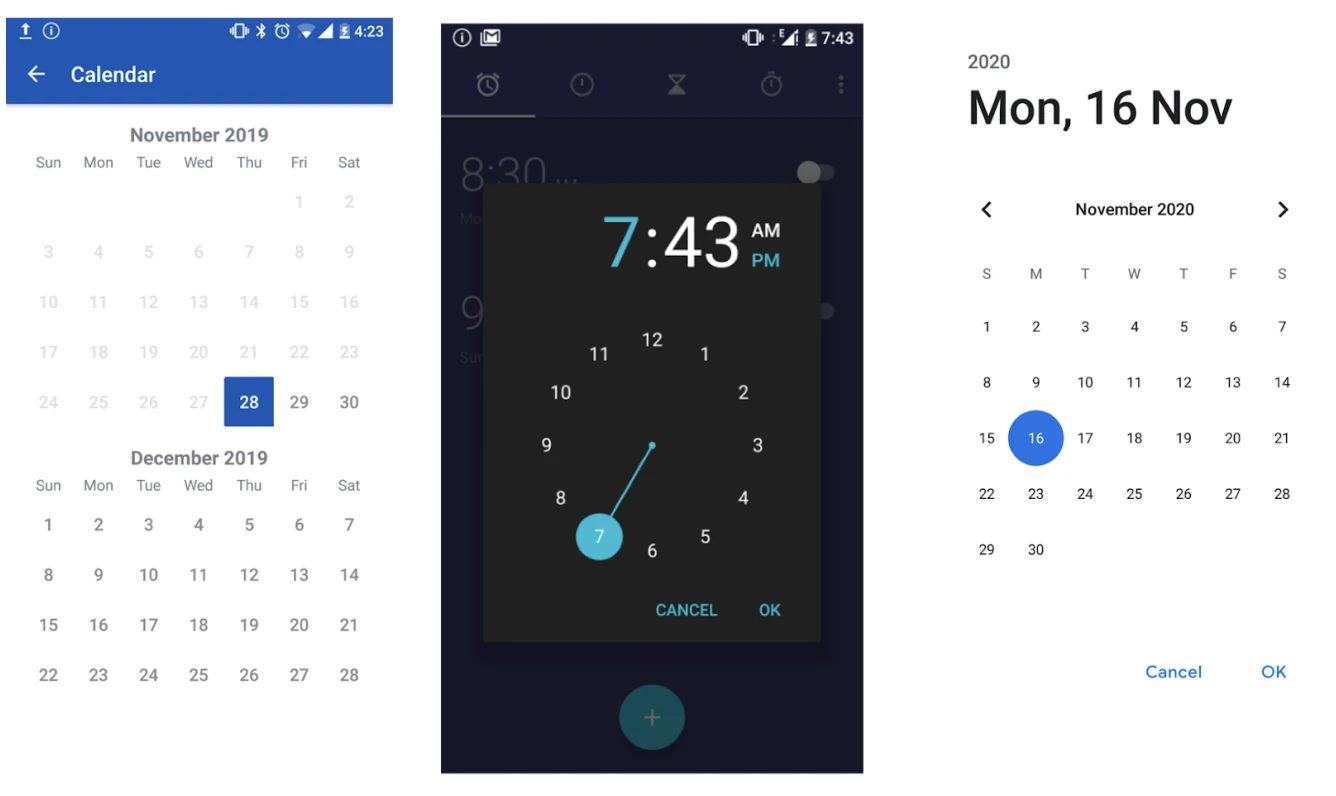
I compared three time pickers and three date pickers. The widgets served the same underlying tasks, but exposed radically different structures: circular dials, vertical spinners, numeric entry, calendar grids, scrolling month lists, and fisheye dials.
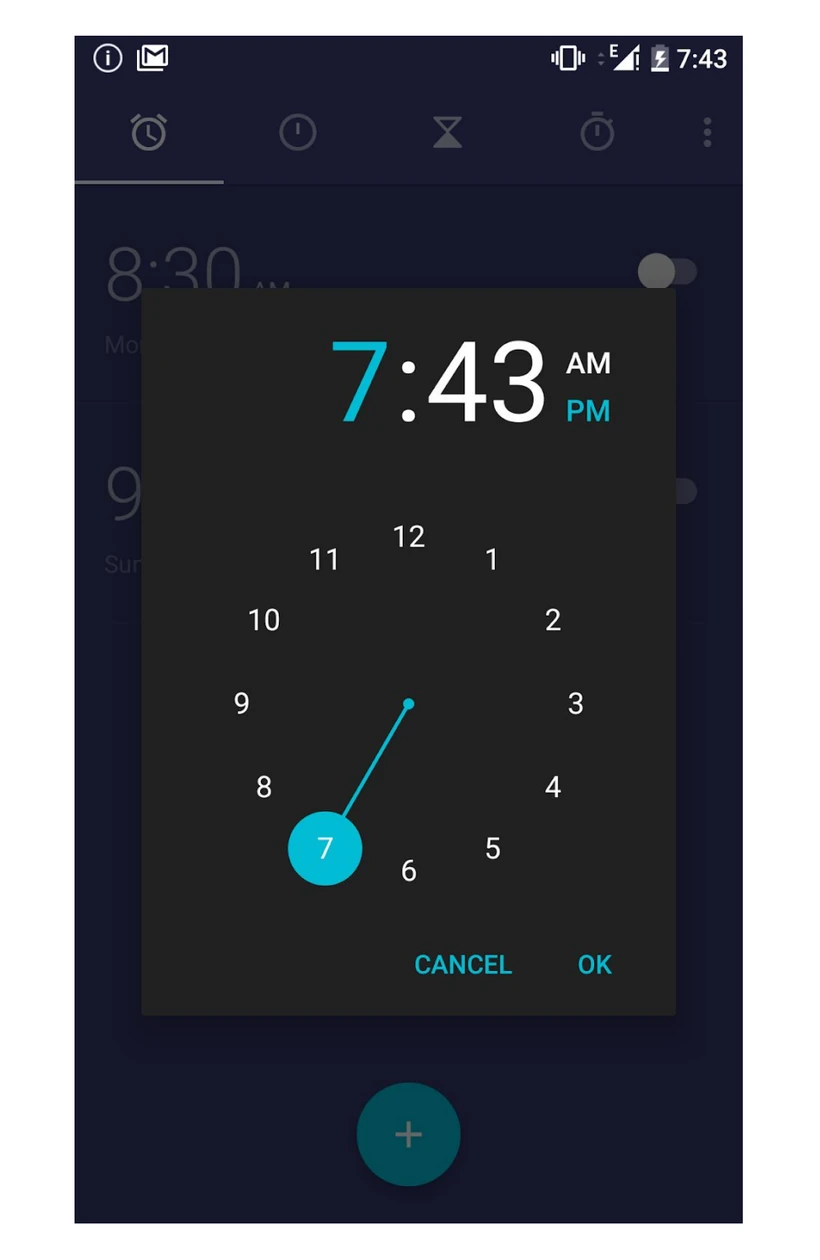
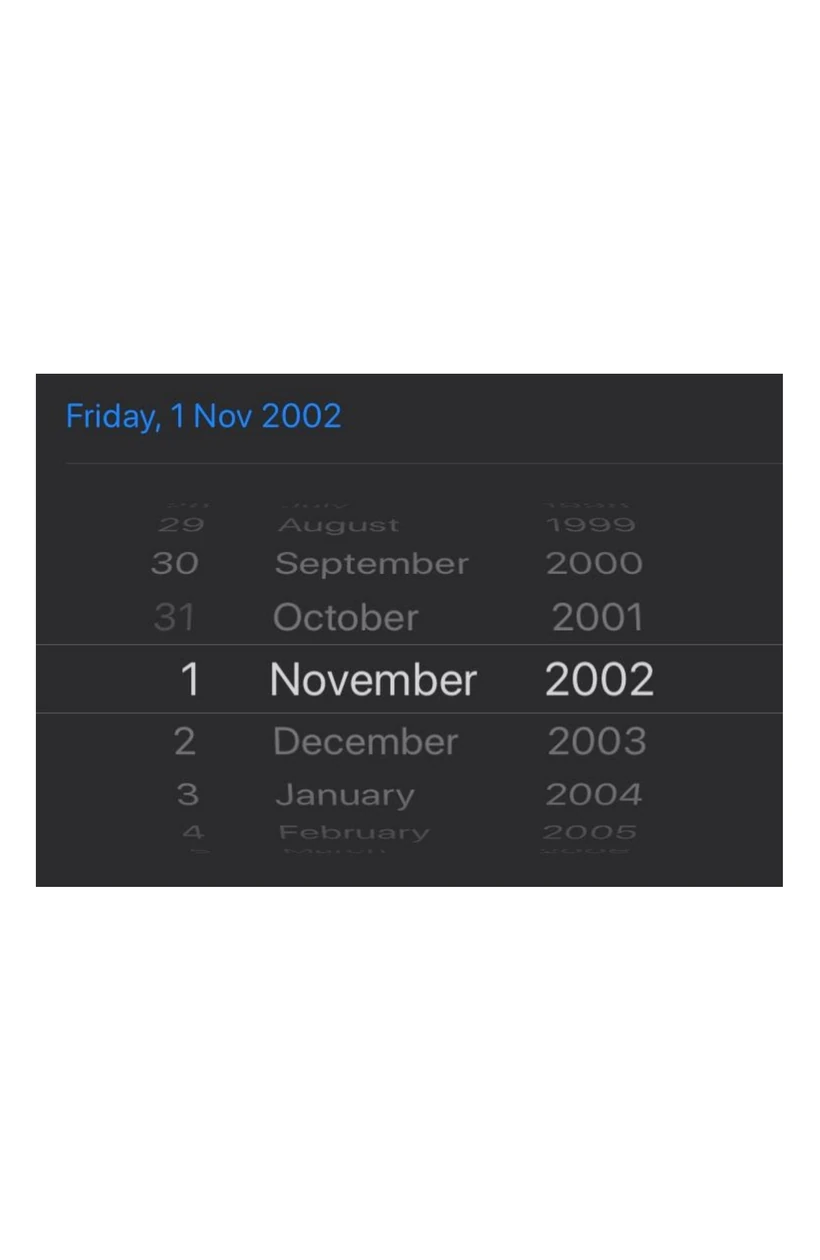
A heuristic audit, supported by recorded TalkBack sessions, reduced the failures to seven recurring problems:
- 01Missing confirmation and system-status feedback
- 02Familiar interaction patterns disappearing between implementations
- 03Spoken labels not matching the control's actual behaviour
- 04A new spatial mental image being required for every variation
- 05Focus remaining on the parent screen after an overlay opened
- 06Excessive reliance on recall
- 07Available gestures never being explained
The six audited implementations
The time-picker set covered a Material-style circular dial, a vertically scrolling hour/minute/AM-PM spinner, and numeric hour/minute fields with a number pad.
The date-picker set covered a grid with horizontal month controls, a vertically scrolling list of months, and independent fisheye dials for day, month, and year. Each demanded a different spatial and gesture model.
04 · Synthesis
From onboarding to teaching
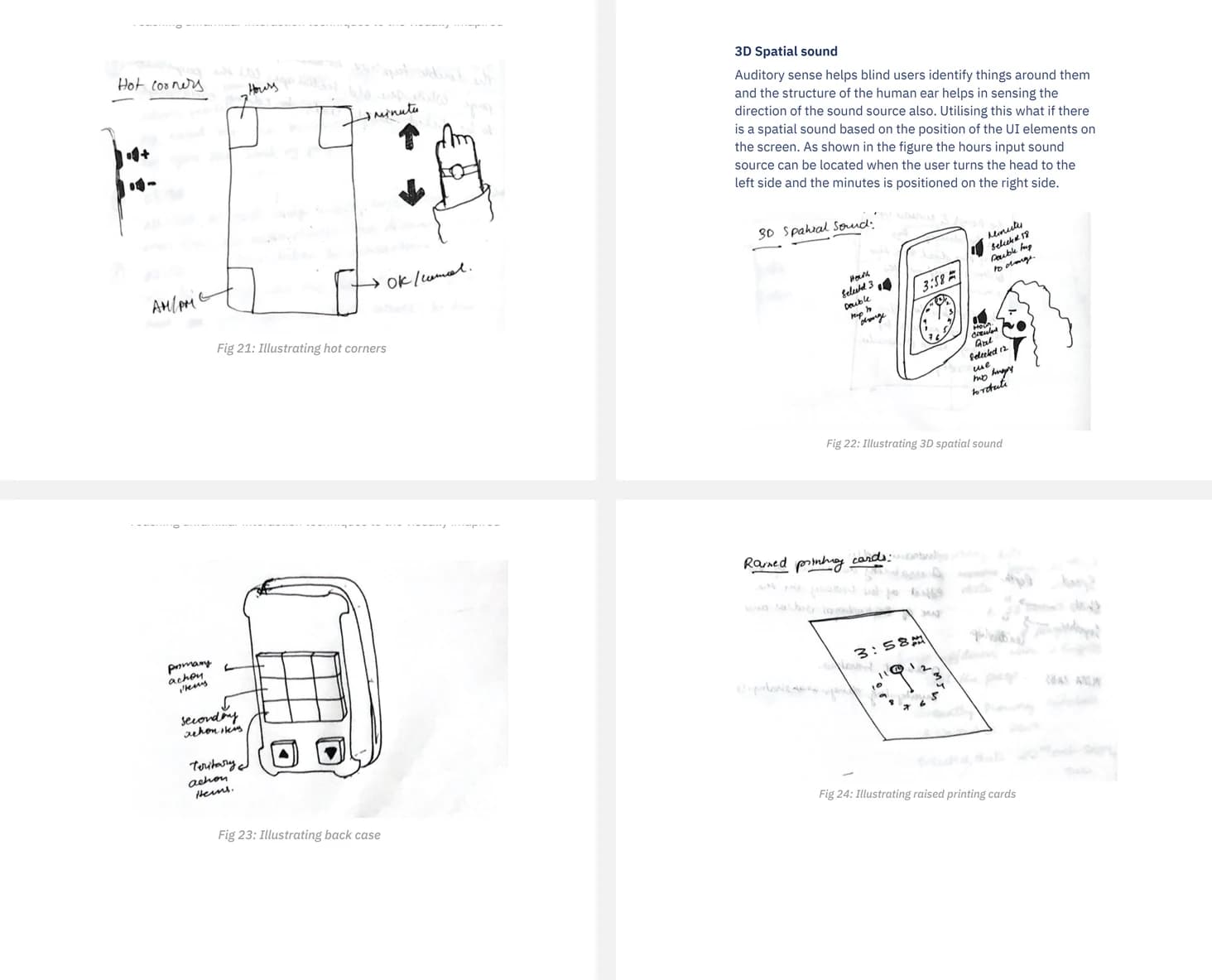
The project reframed onboarding as a teaching problem. I explored an automated voice guide, a structured learning module, a voice assistant, Braille and embossed references, workshops, vibration patterns, hot corners, spatial audio, and tactile phone cases.
Voice guidance moved forward because it matched how participants already learned from instructors and peers. It could describe layout, focus order, state, and gestures at the moment they became relevant, without requiring a separate physical reference for every new widget.
Ideas not taken forward
- Embossed cards could communicate shape but would require a new physical artefact for every widget.
- A tactile phone case introduced a second interaction surface and required a consistent mapping framework.
- Spatial audio could communicate position, but depended on hardware, orientation, and careful sound design.
- Vibration patterns could indicate hierarchy, but could not explain purpose or interaction by themselves.
05 · Prototyping
Three ways to teach the model
01
Target axis
Teach the geometry of a circular dial, the position of its values, and the gesture needed to select them.
02
Guided flow
Break date or time selection into goals, then provide recognition and confirmation after each action.
03
Hot corners
Let users replay separate explanations of layout, focus order, and gestures on demand.
The prototypes used recorded Indian-English guidance, vibration, and controlled interactive prototypes. They were deliberately medium fidelity: the study evaluated the teaching strategy, not a production TalkBack integration.
06 · Pilot study
What the pilot revealed
Six completely blind participants first attempted alarm-setting and date-selection tasks. When a task could not be completed, I introduced a teaching strategy and observed completion time alongside qualitative feedback.
4:30
Average guided-flow task time
More effective for grid-based date selection; separate audio could not be controlled or replayed.
7:00
Average target-axis task time
Helped communicate the circular dial as a spatial object rather than a flat sequence of values.
12:30
Average pre-teaching task time
Required participants to remember the explanation before acting in the interface.
“Oh! It means it's clockwise.”
“Now I want to teach this to my friend in Malayalam.”
These timings describe a small exploratory pilot, not comparative performance. The thesis did not include a controlled baseline or statistical analysis.
Detailed testing notes
- Guided flow worked better when the target followed a familiar row-and-column structure.
- Participants asked to replay instructions when the audio was played separately from the interface.
- One participant could locate the number 9 after learning the circular dial's spatial arrangement.
- Participants asked whether the method could teach applications and be shared in other languages.
07 · Reflection
Looking back
The most important lesson is that accessible controls still need an understandable model. A stronger version would integrate guidance into the widget or screen-reader layer, make every instruction replayable, and teach progressively: purpose, layout, state, gesture, confirmation, and recovery.
I would also test whether people can transfer the learned strategy to an unfamiliar application and recall it after time has passed. That would move the work from immediate task support toward durable interaction learning.
Limitations
- Small participant group and a narrow set of widgets.
- Medium-fidelity or externally controlled prototypes.
- No longitudinal measure of retention or transfer.
- No production-level TalkBack integration.
Academic context and references
Original thesis title: Teaching unfamiliar interaction techniques to the visually impaired, submitted as M.Des Project II at IDC School of Design, IIT Bombay in 2020 under Prof. Anirudha Joshi.
The work drew on mental-model theory, Android TalkBack documentation, research on accessible date pickers, non-speech audio, and VizLens. The portfolio intentionally condenses that literature to keep the design argument readable.